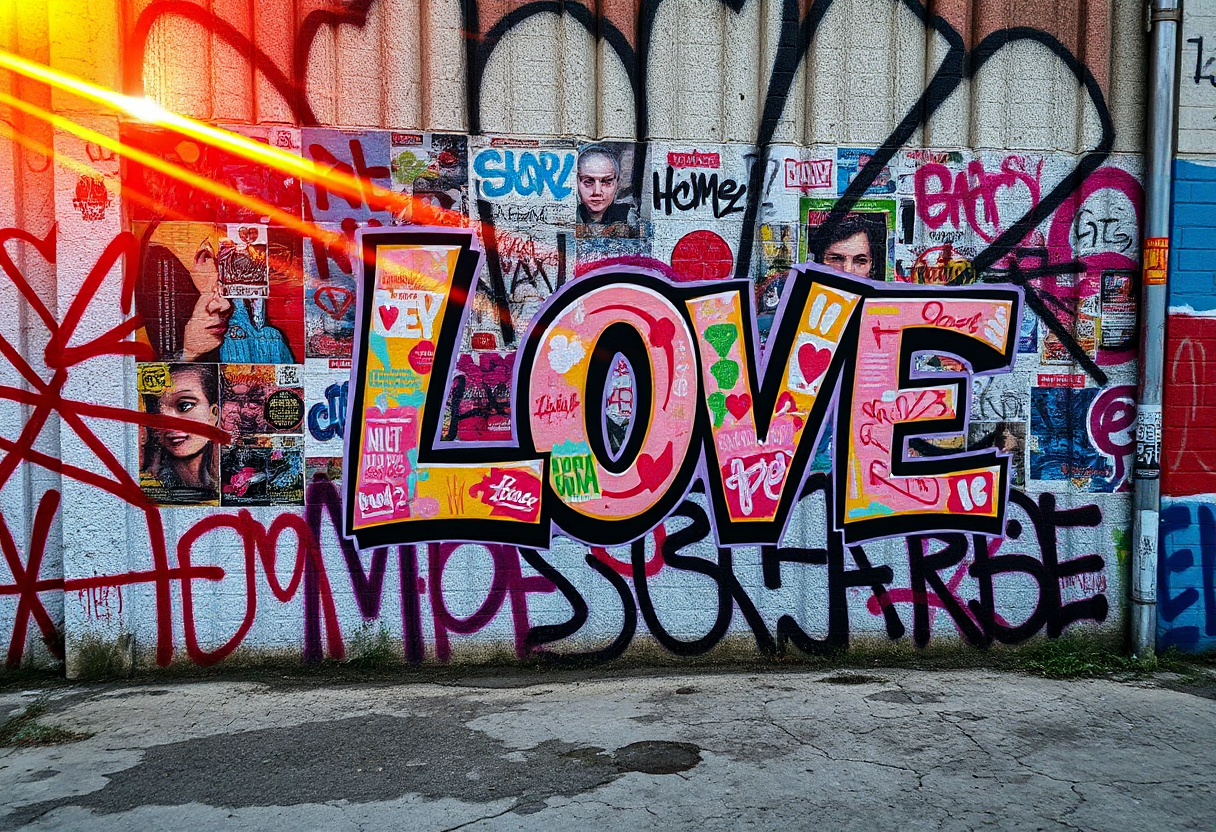
Graffiti isn’t just text spray painted on a surface.t’s texture, rebellion, and rhythm. Whether it’s sprayed across a crumbling brick wall or layered over a freight train in motion, the visual language of graffiti has its own codes and attitude. And when prompting with AI, you’re not just asking for “words”,you’re recreating an entire subculture on the wall of a virtual city.
Here are 5 tips on how to get it right with Sogni AI.

1. Start with the vibe, not the word
Instead of prompting literally for a message (“graffiti that says ‘LOVE’”), begin by describing the scene, the energy, or the aesthetic.
Try:
“Urban wall covered in vibrant street art and layered graffitti, cracked concrete surface.”
This gives the model context to build a convincing graffiti scene where words naturally emerge from the environment. If you just write “text,” AI might return illegible scribbles or typographic chaos. Remember: graffiti is style-first, then message.

2. Use layout cues, not literal commands
Want a full mural? A chaotic wall of tags? A single word in bold, stylized form? Examples:
“One central graffiti tag in bold black spray paint on a clean concrete wall.”
“Graffiti mural with colorful layered tags and stencil elements.”
This helps guide placement and composition without getting lost in the syntax.
3. Trigger style with key graffiti terms
Sogni’s Flux model responds well to culture-coded terms. Try incorporating references like:
- “spray paint”
- “street art”
- “urban mural”
- “drips and stencil effects”
- “Berlin-style graffiti”
- “throw-up” or “wildstyle” (for more complex lettering)
This language helps the model focus on visual grammar instead of defaulting to “text = typography.”
4. Add realism through materials and lighting
Make it feel like part of the world. Texture and light are essential in graffiti.
Prompt ideas:
“cracked concrete surface, deep sunset lighting with golden highlights, realistic 3D spray paint textures, stencil shapes,”
You’re creating a believable environment, not just “words on wall.”
5. Use Symmetry and Focal Cues to Anchor the Message
When aiming for readable or semi-readable graffiti, help the model by anchoring the text visually. Describe the placement, scale, and balance rather than relying on the AI to guess. Use terms that signal composition and intent.
Try:
“Graffiti wall with a central focal point, large stylized letters in the middle, symmetrical layout, framed by layered street tags and faded posters.”
This approach nudges the AI toward a cleaner arrangement where your intended text area stands out, even if the lettering isn’t crystal clear, the design reads as intentional. You’re not fighting the model, you’re steering it gently.
Pro Tip: Use Flux
Among Sogni’s models, Flux delivers particularly strong results for graffiti prompts. That’s thanks to its training on high-contrast urban environments, texture-heavy scenes, and stylized visual cues. If you’re trying graffiti, Flux should be your go-to.

Want more prompt recipes like this one? Follow along at SogniNews.com or check out our artist community on Reddit and Instagram.
And don’t forget—Freedom to Create, Power to Earn.

